Pinterest Marketing for Introverted Entrepreneurs: The Guide to Unlimited Traffic

Image on Freepik.com
Pinterest is the introvert's secret weapon for passive traffic, especially for creative entrepreneurs. You can show up once, post a few smart pins, then let them keep working while you rest. No going live, no daily stories, no pressure to be “on” all the time.
Pinterest feels easier because it’s a visual search engine. People open the app already looking for ideas, answers, and products, and pins can keep circulating for months instead of dying in a day. That’s why pinterest marketing for introverts makes so much sense, you’re meeting people when they’re ready to click.
In this guide, you’ll get a simple step-by-step routine to set up your account, pick keywords that match what people search, create pins that earn clicks, and build a system you can repeat every week. You’ll also learn what matters most (and what you can ignore) so you don’t burn out and can protect your energy.
One quick heads-up, this is a long game marketing strategy. But it’s a quiet one, and if you keep showing up with a steady routine, you can build traffic that stacks over time.
Why Pinterest Is Perfect for Introverts (and how it actually sends traffic)
If you’d rather write quietly than perform loudly, Pinterest is your kind of place. You don’t have to “show your face,” jump on trends, or keep up with constant comments to get results. You create a helpful pin, point it to your blog post or offer, and let Pinterest keep showing it to new people over time.
That’s why pinterest marketing for introverts works so well, unlike traditional social media marketing. It rewards clear ideas, strong visuals, and simple routines, not charisma on camera.
Pinterest doesn’t reward being loud, it rewards being useful
Most social apps push content based on how much attention you can grab right now. Pinterest works more like a search engine where search engine optimization principles help your content get discovered. People open it with a goal, like “easy weeknight dinners,” “capsule wardrobe,” or “small bathroom storage.” They’re already hunting for answers.
When your pin matches what they want, Pinterest can keep serving it up again and again, even if you posted it weeks ago.
Here’s the introvert-friendly part:
You can plan content in batches.
You can write thoughtful titles and descriptions without rushing.
You don’t have to be “on” every day to be seen.
Pins have a long shelf life (so your effort keeps paying you back)
This is where Pinterest shines. Pins don’t die in a day.
Pins commonly last around 3.78 to 3.88 months on average, and well-made pins can keep circulating 6 months to a year, sometimes even longer. On other platforms, your post can disappear fast (think minutes or hours, not months).
Even better, over 60% of saves come from pins that are over a year old. So if you’re the type who likes putting in effort once and letting it run as part of a long-term strategy, Pinterest is built for you.
People are in “planning mode,” so clicks feel natural
Pinterest users are planners. They’re collecting ideas, comparing options, and building boards for later. That behavior is perfect for your blog posts, freebies, products, and email list because clicking out to a site is normal on Pinterest. It’s not seen as “leaving the app,” it’s part of the process.
A few stats that explain the vibe:
Pinterest has 465 to 537 million monthly active users.
People do about 5 billion searches each month.
Users save around 1.5 billion pins per week to over 10 billion boards.
That means your content is showing up for people who are actively looking, not just casually scrolling.
You can win without having a big name
Pinterest is one of the few platforms where being “unknown” doesn’t hurt you much. In fact, it can help.
About 96% of top Pinterest searches are unbranded, which means people are not typing in big creator names. They’re typing problems, desires, and projects. That’s a huge deal if you’re newer, smaller, or just not interested in building a personal brand around your face.
If you can create a pin that matches a real search, you can get clicks.
Pinterest is quieter by design (and that matters when you get overwhelmed)
Pinterest feels calmer for a reason. People use it more privately, saving ideas to boards instead of posting for public approval. A large share of users report feeling positive while using it, and the culture is less about debate, clapbacks, and hot takes.
If comments and DMs drain you, especially if you are one of the highly sensitive people, Pinterest gives you space to focus on the work:
writing helpful posts
creating clean pins
building a slow, steady traffic flow
How Pinterest actually sends traffic to your site (simple version)
Pinterest traffic is not magic, it’s a system. It looks like this:
You write a blog post that answers a real question (example: “Minimalist packing list for a 3-day trip”).
You make a pin with a clear promise (big readable text, strong photo, simple design).
You add keywords in the pin title and description so Pinterest knows who to show it to.
Pinterest tests your pin in search results and feeds.
Saves and clicks teach the pinterest algorithm that your pin is helpful.
Your pin keeps circulating, bringing steady visitors over time.
One more reason this works for introverts: you don’t need a “viral moment.” Pinterest traffic often builds slowly, then grows. Many pins hit their best stride months later, not hours later.
What “quiet consistency” looks like on Pinterest
You don’t need to pin 50 times a day. You need a routine you can keep even when you’re tired.
A realistic, introvert-friendly rhythm:
Create 1 new blog post (or update an old one) each week or every other week
Make 2 to 5 fresh pins per URL (spread out over time)
Spend 15 to 30 minutes a few days a week scheduling and checking what’s working
That’s it. You’re building a library, not putting on a show.
Pinterest business account setup that makes growth easier
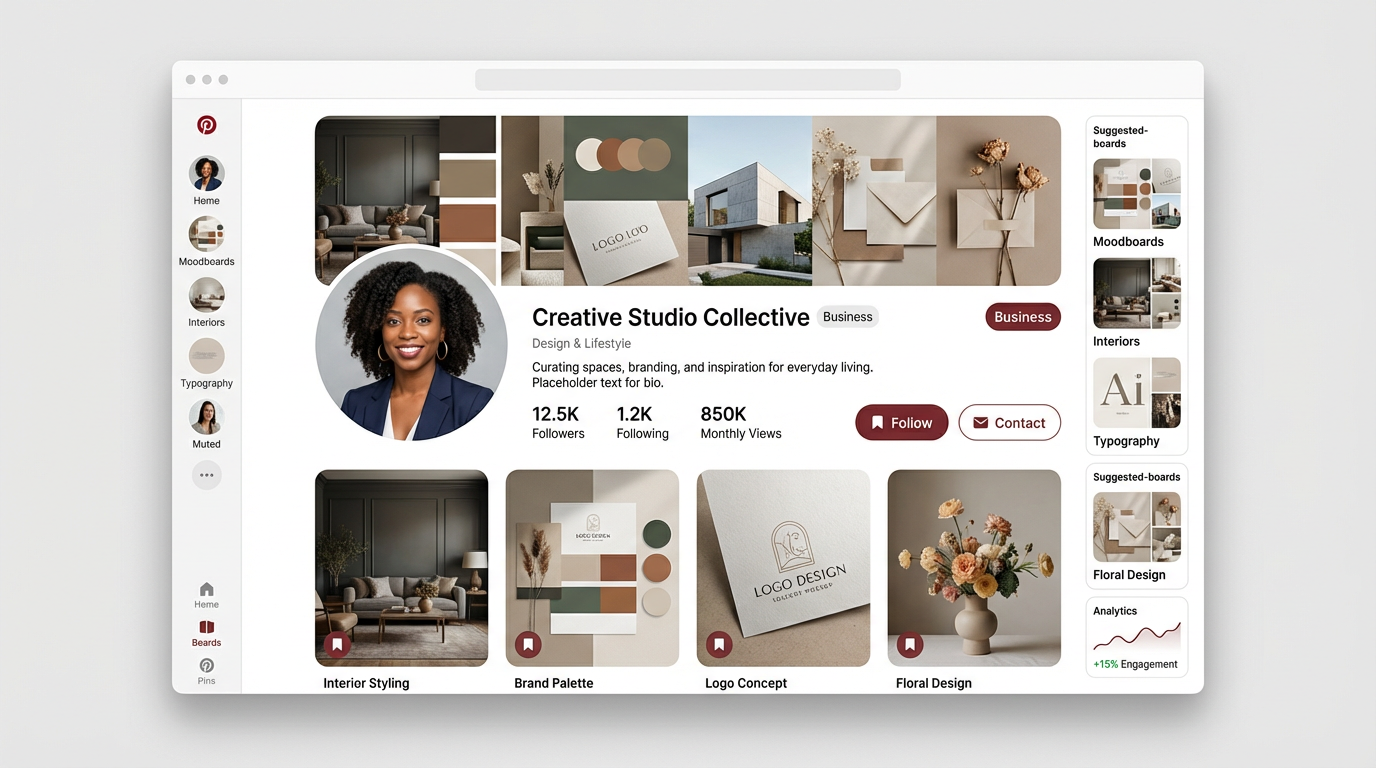
If you want pinterest marketing for introverts to feel calm (not chaotic), your setup has to do some of the heavy lifting. Think of your Pinterest business account like a tidy entryway. When everything has a clear place, it’s easier to walk in, find what you need, and keep moving.
This part is about setting your account up once, so every pin you post later has a better shot at getting found, getting saved, and getting clicked. No extra noise.
Start with a business profile (or convert what you already have)
You don’t need to start from scratch if you already have a personal account. You can convert it, keep your pins and boards, and unlock the tools that make Pinterest worth your time (like analytics).
Here are your two options:
Create a new business account
Go to
pinterest.com/business/create/(orbusiness.pinterest.com) and sign up.Add your email, password, and birthdate.
Choose your business type (content creator, service provider, online merchant, etc.).
Add your business name, country, and website (or select “I don’t have one”).
Add your business address and pick up to 3 goals (driving traffic is usually the big one for bloggers).
Convert your personal account to a business account
Log in, click the down arrow in the top-right.
Go to Settings and find Switch to business (wording can vary).
Follow the prompts for business type, name, website, and goals.
Save it. Your boards and pins stay put, nothing gets erased.
If you’re introverted, converting is often the easiest move because it’s quiet and simple. No big “new account” moment, just a better setup behind the scenes.
Set your profile up like a mini home page
Your profile is the first “yes or no” moment. People click your name from a pin and decide fast if you’re for them. You want it to feel clear, not cute.
Focus on three things:
Profile photo: Use a clean headshot or logo that still looks good small (Pinterest recommends a square image, 165 x 165 pixels works well).
Name field: Don’t overthink it, just make it searchable. Example:
Alexis | Simple Budget MealsorAlexis, Minimal Home Ideas.Bio (up to 160 characters): Say who you help and what content creation you post. Keep it plain.
Example: “Easy meals, simple routines, and cozy home ideas for busy people. New pins weekly.”
One quick tip, your bio isn’t the place for your life story. It’s a label. Like the outside of a file folder.
Claim your website (this is where Pinterest starts taking you seriously)
Claiming your site is one of those boring steps that pays you back later. When you claim your website, Pinterest can connect your account to your content. That means better attribution and cleaner data in analytics.
To claim your website:
Go to Settings.
Find Claimed accounts (sometimes listed as Website).
Enter your site URL.
Choose a verification method (Pinterest typically offers options like adding a meta tag, uploading an HTML file, or verifying through Google Analytics).
Save and confirm.
After that, Pinterest can show your profile picture on pins from your site, and you’ll get clearer stats tied to your content. If you like staying in your own lane and tracking what works without guessing, this helps a lot.
Pick business goals that match your personality (and your plan)
Pinterest asks you to choose goals during setup. This seems small, but it helps steer what Pinterest shows you inside the platform.
If your main goal is quiet traffic growth, these are usually the best fit:
Drive traffic to your website or blog
Build awareness (useful if you’re new and want reach)
Increase sales (if you have products, services, or affiliate-heavy posts)
Try not to pick goals based on what sounds impressive. Pick what matches what you actually want from Pinterest, which for most introverts is steady clicks without constant posting stress.
Create Pinterest boards that make pinning feel easier later
Pinterest boards are not just decoration. They’re shelves. If your shelves are labeled clearly, it’s easier to put things away, and easier for Pinterest to understand what you’re about.
Set up 8 to 12 Pinterest boards to start. Make them specific enough to mean something, but broad enough that you can add content for months.
A simple Pinterest board setup rule: board name = what someone would type into search (do keyword research to nail this).
Examples:
“Easy Weeknight Dinners”
“Simple Capsule Wardrobe”
“Small Bedroom Ideas”
“Blogging Tips for Beginners”
“Printable Planner Pages”
Keep your Pinterest board descriptions short and clear too. Write one or two sentences about what you’ll save there. That’s it.
Turn on the basics that keep your account clean
Before you start posting like crazy, take five minutes to check your settings. This is the unglamorous part that saves you from problems later.
A quick checklist:
Confirm your email so you don’t miss account alerts.
Add your website link to your profile.
Choose your country and language correctly (helps Pinterest show your content to the right people).
Stick to one main niche at first, so Pinterest can categorize you faster.
When your account is set up well, you don’t have to “work” Pinterest so hard. You just show up, post helpful pins, and let the system do what it does best.
Pinterest content strategy for introverts (quiet consistency that compounds)
If you’re an introverted entrepreneur, you don’t need a loud Pinterest plan. You need a plan you’ll actually stick to, even on low-energy weeks. Pinterest rewards that kind of steady effort. One helpful post, a few clear pins, and a simple routine can stack up into traffic that keeps showing up months later.
Think of it like stocking a small pantry. You add a few basics each week. Over time, you stop “having nothing to eat” (no traffic days), because you built a quiet supply that’s ready when you need it.
Build your “quiet consistency” rhythm (so you don’t burn out)
A Pinterest routine works best when it feels boring in a good way. You don’t need to pin all day. You just need a repeatable beat.
Here’s an introvert-friendly weekly rhythm that stays realistic:
Create 1 new Pin per week (minimum). This keeps you active without stress.
Add 2 to 5 fresh pins per URL over time (don’t dump them all at once). Schedule fresh pins in batches (so you’re not thinking about Pinterest every day).
If you can do more some weeks, great. If you can’t, don’t punish yourself by quitting. Quiet consistency compounds because you keep showing up, even in small ways.
Use the “one idea, many pins” system (the lowest-energy way to grow)
You don’t need new content daily. You need more entry points to the content you already have.
Use this simple system:
Pick one URL (a blog post, freebie, product, or service page).
Choose 3 to 5 angles someone might search for.
Create 1 pin per angle with a slightly different title and image (Canva templates make this fast and easy).
Example: If your post is “Minimalist Morning Routine,” your pin angles could be:
“5-Minute Morning Routine”
“Simple Morning Routine for Busy Days”
“Morning Routine for Anxiety”
“No-Phone Morning Routine”
“Minimalist Habits to Start Your Day”
Same post. Different hooks. More chances to match what someone is typing into search.
Keep pins simple and searchable (your introvert advantage)
Pinterest doesn’t need your personality on camera. It needs clarity.
When you design pinnable graphics, aim for:
A clear text overlay that says what the pin is about (big, readable words).
One strong promise (what they get when they click).
Clean visuals (one photo or a simple background, not clutter).
A quick gut-check that helps: if you glanced at your pin for one second, would you know what it’s offering?
For pinterest marketing for introverts, simple is not lazy. Simple is kind. It helps tired people decide fast.
Choose keywords without overthinking (use Pinterest Trends)
Keyword research can feel like homework, so keep it light. Your goal is to use the words your ideal client already uses.
Start here:
Type your topic into the Pinterest search bar and note the auto-suggestions.
Use Pinterest Trends to check if the topic gets steady interest.
Write pin titles and descriptions in plain language, like you’re labeling a folder.
Also, name your boards like search terms. “Easy Weeknight Dinners” beats “Food I Love,” every time.
Plan seasonal pins early (so Pinterest has time to circulate them)
Pinterest is full of planners. People search early, save early, and act later. That’s why seasonal content needs a head start, and it pairs well with evergreen marketing for content that lasts.
A simple rule you can follow:
Post seasonal pins 1 to 2 months before the moment (holidays, back-to-school, spring cleaning, summer travel).
This gives Pinterest time to test your pin and start showing it to the right people before the rush hits.
Make a “Pinterest menu” so you never wonder what to post
Decision fatigue is real. A small content menu fixes that.
Pick 4 repeatable pin types you can rotate:
How-to (example: “How to Start a Capsule Wardrobe”)
List (example: “12 Pantry Staples for Fast Meals”)
Before-and-after (example: “Small Bathroom Storage Ideas Before and After”)
Beginner guide (example: “Pinterest Tips for New Bloggers”)
Now you’re not creating from scratch. You’re filling in a template with new topics.
Track what’s working, then repeat it (no complicated analytics spiral)
You don’t need to stare at numbers every day. You need a quick check-in so you stop guessing.
Once a week or every other week, look for:
Pins with the most outbound clicks
Pins with strong saves (a sign people want it later)
Topics that show up more than once in your top performers
When you see a winner, don’t reinvent your whole strategy. Just make 2 to 3 more pins for that same URL with new angles. Quiet repetition is how Pinterest growth happens without constant effort.
If you want Pinterest to feel calm, treat it like a slow drip, not a fire hose. Your job is to keep showing up in small, steady ways, then let time do its part.
The Introvert's Pinterest Workflow (a calm routine that still grows reach)
Image on Freepik.com
You don’t need a big, loud Pinterest routine to grow. You need a steady one you can repeat without talking yourself into it every week. Think of this workflow like making coffee at home. Same steps, same mug, no drama, and it still gets you where you want to go.
For pinterest marketing for introverts, your best move is to keep Pinterest in a small box on your calendar. You show up, do the work, schedule it, then log off. Your pins keep moving even when you’re not.
Set one “Pinterest hour” each week (and protect it)
A calm routine starts with a boundary. Pick one hour on a low-stress day, then treat it like an appointment. You’re not “doing Pinterest all week,” you’re just keeping your system running.
During your hour, stick to three jobs:
Pick what you’ll promote (1 to 3 URLs max)
Create or update pins (a small batch)
Schedule and walk away
If you have extra energy later, cool. If you don’t, you’re still consistent.
Use a simple weekly flow: pick, write, design, schedule
When you follow the same order each time, Pinterest stops feeling like a messy pile of tasks. It becomes a checklist.
Here’s a workflow you can copy:
Pick (10 minutes): Choose 1 blog post, product page, or freebie to push this week.
Write (10 minutes): Draft 2 to 3 pin titles and short descriptions that match real searches.
Design (25 minutes): Make 2 to 5 fresh pins using the same template.
Schedule (15 minutes): Queue them up for the next 7 to 14 days.
That’s it. You’re building a small stack of “entry doors” to the same content.
Batch your pin creation, so you’re not always “on”
If you only create pins when you feel inspired, Pinterest will feel like a chore. Batching fixes that.
A low-pressure way to batch is to pick one content type per session:
Week 1: Make pins for new posts
Week 2: Make pins for old posts that still matter
Week 3: Make pins for your best affiliate post or top freebie
Week 4: Make pins for seasonal content coming up
Submit your batches to group boards as destinations for pins to quietly expand visibility. You’re not trying to do everything. You’re just keeping your library growing, one small batch at a time.
Repurpose “quiet content” into multiple pin angles
You don’t need to create new ideas daily. You just need to say the same idea in a few different ways, like writing different headlines for the same article.
Try these angles (pick 3 per URL):
Problem angle: “No time to cook? 10-minute dinner ideas”
Outcome angle: “Eat better this week with this simple meal plan”
List angle: “15 budget meals with 5 ingredients”
Beginner angle: “Start here: simple capsule wardrobe guide”
Mistake angle: “5 pantry mistakes that waste money”
Same link, different hook. More chances for Pinterest to match you with the right search.
Schedule pins ahead, then log off with a clear conscience
Scheduling is the introvert’s best friend because it removes the daily decision loop through automated scheduling. Once your pins are queued, you don’t have to keep popping in to “check” things.
A few calm rules that help:
Schedule for the next 7 to 14 days, not the whole year.
Post a small number of fresh pins consistently instead of random bursts.
Save your energy for making better pins, not more pins.
Some creators use Pinterest’s built-in scheduler, and others use tools like Tailwind or Tailwind communities to extend reach quietly. The tool matters less than the habit: plan it once, then step away.
Keep a tiny “feedback loop” (so you don’t spiral in analytics)
Checking stats every day is like stepping on a scale after every sip of water. It messes with your head. A calmer option is a short check once a week or every other week.
Look at just a few things:
Outbound clicks: tells you what sends traffic
Saves: tells you what people want to keep
Top boards and top pins: tells you what theme is working
When you spot a pin that gets clicks, your next step is simple: make 2 more pins for that same URL with different angles. This is how your pinning strategy for pinterest marketing for introverts grows without constant noise.
Your “low-energy” version (for tired weeks)
Some weeks you’ll have it, some weeks you won’t. Your routine should work either way.
When you’re low on energy, do the minimum that keeps momentum:
Schedule 1 fresh pin
Re-use 1 proven template
Update one title to be clearer
You’re not falling behind. You’re keeping the engine running on idle, and that still counts.
How to read Pinterest analytics and turn traffic into sales (without hard selling)
Pinterest can feel calm until you open Analytics and see a pile of numbers. So let’s make this simple. Pinterest analytics is just your quiet feedback loop. It tells you what’s getting seen, what’s getting saved, and what’s actually sending people to your site.
And if you’re doing pinterest marketing for introverts, this part matters because it helps you sell without being pushy. You’re not trying to “convince” strangers. You’re trying to guide the right people from a helpful pin to a helpful page, then into a next step that makes sense.
Where to find Pinterest Analytics (and what to click first)
You’ll see Analytics once you’re on a business account and your website is claimed. After that (even without a Pinterest manager for deep analysis):
On desktop, go to the Analytics tab, or head straight to
analytics.pinterest.com.On mobile, look for Creator Hub and then Analytics.
Start in Overview. Keep your date range to the last 30 days at first so you don’t get lost in old data. If you’ve been pinning consistently for a while, 90 days can be even better for spotting patterns.
The only Pinterest metrics you need to care about (and what they really mean)
Here’s the truth: you can ignore most of the noise and focus on a few signals that match your goal (traffic and sales).
MetricWhat it tells youWhat to do with itImpressionsPinterest is showing your pin a lotKeep the topic, test a clearer title and imageSavesPeople want it for laterMake more pins with the same angle, it has “keeper” energyCloseupsYour design made them stop and lookImprove the first line of your title, make the promise clearerClicksPeople interacted with the pinCheck if the link and landing page match what the pin promisedOutbound clicksPeople left Pinterest for your siteDouble down, this is your traffic driver
If you only watch one thing for growth, watch outbound clicks, which ties directly to your click-through rate. It’s the cleanest sign that your pins are doing their job.
How to read your top pins like a calm, logical person
When you look at your top pins, you’re not judging yourself. You’re sorting a drawer. Keep what works, toss what doesn’t, and buy more of what you actually use.
Use this quick read:
High impressions, low outbound clicks: People see it, but the pin isn’t convincing them to click. Your text overlay might be vague, or the title might not match what they searched.
High saves, low outbound clicks: People like the idea, but they are in planning mode. This is still a win. Give it time, and make a second pin that’s more direct (example: “Free checklist” or “Step-by-step guide”).
High closeups, low outbound clicks: Your design is working, your message is not. Tighten the promise, add a stronger benefit, or make the topic more specific.
High outbound clicks: That’s a “make more like this” pin. Create 2 to 5 fresh versions with new titles and images.
Keep notes on what you see. Nothing fancy. A simple list in your phone works.
The introvert-friendly “make more of what works” routine (15 minutes a week)
You don’t need daily number-checking. You need a small weekly habit.
Once a week (or every other week), do this:
Open Analytics and sort by Outbound clicks.
Pick your top 1 to 3 pins.
Write down what they have in common:
Topic (what is it about?)
Hook (what promise did you make?)
Style (photo, colors, layout, font size)
Create 2 new pins for the best URL using two different angles.
This is how you grow without spinning your wheels. You’re not guessing. You’re repeating proof.
Turn Pinterest traffic into sales without hard selling (your “soft path”)
Pinterest users often click when they want help, not a pitch. So your goal is to meet them with a page that feels like a warm, organized room, not a sales ambush.
Here’s the soft path that works:
Pin: Makes one clear promise (guide, list, how-to, checklist).
Blog post or landing page: Gives real value fast (no big life story first).
Next step: A gentle offer that fits the topic.
A few quiet next steps that sell without pressure:
Content upgrade: “Want the printable version? Grab it here.”
Email freebie to grow your email list: “I’ll send you the template so you can copy it.”
Digital products suggestion: “This is the tool I use, here’s why it helps.”
Service invite: “If you want help setting this up, here’s how we can work together.”
The key is match. Your pin promise and your page must line up. If your pin says “simple meal plan,” don’t send them to a homepage with 20 options and no direction.
Use analytics to spot buyer intent (without acting salesy)
Some topics bring browsers. Some topics bring buyers. Analytics helps you tell the difference.
You’re looking for pins and pages that show “I want to do this now” energy, like:
“Best” and “review” content (example: “best planners for ADHD”)
“Template,” “checklist,” “printable,” “planner”
“How to” that solves an urgent problem (example: “how to organize a small pantry fast”)
When those pins get outbound clicks, treat them like a signal flare. Add a simple offer inside the post that helps the reader take the next step quickly.
Quick fixes that usually increase outbound clicks (without posting more)
If you want more clicks without adding more hours, start here:
Rewrite your pin title so it says the outcome (not just the topic).
Match your pin text to the first headline on your page (people hate feeling tricked).
Add one clear call-to-action on the pin (example: “Get the list,” “See the steps,” “Download the checklist”).
Make your landing page skimmable with short sections and clear headings.
Put your opt-in or product mention above the footer so people actually see it.
That’s the quiet power move: you’re improving what already exists, so the same pins can keep paying you back.
Conclusion
Pinterest is the introvert’s secret weapon for passive traffic because you can do the work quietly, then let it run. When you set up the basics (business account, boards, and a claimed site), write helpful posts, and publish clear pins with real search words, you give Pinterest what it needs to keep showing your content without you having to show up loud, all as part of a long-term strategy.
This is a long game. Some pins pop early, but most wins come from consistency and small improvements, week after week. You build a library, not a performance. That’s how pinterest marketing for introverts turns into “I wake up to clicks” energy over time.
Pinterest stands out from social media marketing as a platform still packed with people planning and searching, with roughly 570 to 600 million monthly users in 2025, and about 1.5 billion saves every week. Your job is simple, keep adding helpful pins and stay patient while they stack.
Want my Pinterest templates? Download free here!