Pinterest for Beginners: The Simple Way to Get Free Blog Traffic Without Being Glued to Your Phone

You've probably heard people talk about Pinterest and thought, "isn't that just for recipes and home decor?" I thought the same thing. But once I figured out what Pinterest actually is and how it works, I couldn't believe I had been sleeping on it for so long.
Pinterest is not social media. I need you to let that sink in because it changes everything.
It's a search engine. A visual one. Just like Google, people go to Pinterest and type in what they're looking for. "How to start an online business." "Passive income ideas for beginners." "How to grow an email list." And Pinterest serves them up a feed of images called Pins, that link directly to websites, blog posts, landing pages, and products.
That means when someone clicks your Pin, they land on YOUR stuff. No algorithm deciding whether your content is worth showing. No fighting for attention in someone's social media feed. They searched. Your Pin showed up. They clicked.
And the best part for introverted entrepreneurs? You don't have to show your face. You don't have to engage with people all day. You don't have to post every single day. You just need a solid strategy and consistent action. That's what we're getting into today.
Why Pinterest Works Differently Than Every Other Platform
On Instagram, your post is basically dead in 48 hours. On TikTok, even your best video might spike and disappear just as fast. On Facebook, you're fighting a pay-to-play algorithm that would rather keep people on the app than send them to your website.
Pinterest flips all of that.
A Pin you create today can still bring you traffic six months from now. A year from now. Sometimes longer. That's because Pinterest indexes your content like a search engine does. It keeps showing your Pin to people who are actively searching for that topic. That's what makes it one of the most powerful long-term traffic strategies out there, especially for people who don't want to be on their phone all day.
Pinterest users are also different from social media scrollers. They're not passively killing time. They're searching for something specific. Solutions. Ideas. Products. Content that helps them. That means the traffic Pinterest sends you is already warm, these are people who wanted to find something like what you have.
For introverted entrepreneurs, Pinterest is basically the dream. You set it up, you create content in batches, and the platform keeps working for you while you're doing literally anything else.
Step 1: Set Up Your Pinterest Business Account the Right Way
Image by Natanaelginting on Magnific.com
If you're going to use Pinterest for your blog or business, you need a Business Account. Not a personal one. Business accounts give you access to analytics, Rich Pins, and the ability to claim your website, all of which help you get more visibility and traffic.
Here's what to do:
Create your account. Go to Pinterest for Business and either create a new account or convert your personal one. It's free. If you've been using Pinterest casually, I'd recommend starting fresh with a dedicated business account.
Claim your website. This is one of the most important steps and most beginners skip it. Claiming your website tells Pinterest you're a trusted content creator. Go to Settings, then Claim, then enter your website URL. Follow the steps to verify. Once it's done, your URL shows up on your profile, your Pins get a verified checkmark, and you unlock Rich Pins which give your content extra visibility.
Write a keyword-rich bio. Your bio is searchable. That means it needs to clearly tell Pinterest and new visitors exactly who you are and what you do. Not "helping people live their best lives." That means nothing. Be specific. Something like: "I help introverted entrepreneurs build passive income systems without social media burnout." Include a call to action to send people to your blog, your lead magnet, or your freebie.
Set up your profile image. Use a clear, professional headshot or a clean, readable logo if you're building a faceless brand. Blurry photos and complicated logos tell people your content probably isn't worth clicking on either.
Step 2: Pinterest SEO: How to Actually Get Found
This is where most beginners drop the ball and then wonder why nobody is seeing their Pins.
Pinterest uses keywords to decide who sees your content. If you're not putting the right keywords in the right places, your Pins are basically invisible — no matter how good they look.
Here's what most people get wrong. They do keyword research on Google and assume those same keywords will work on Pinterest. They don't always. Pinterest is its own search engine and people search differently here. Google searches tend to be longer and more specific. Pinterest searches are shorter, more casual, and action-based. "Grow your email list fast" does better than "best email marketing strategies."
How to find the right keywords:
Start with Pinterest's search bar. Type your topic and watch what autofills. Those suggestions are real searches real people are making right now. Write them down. Then look at the "related searches" that pop up after you search, more gold right there.
If you want to go deeper, use Pinterest's Ad Tool. You don't have to actually run an ad. Just go to Pinterest Ads Manager, start creating an ad, get to the Keywords section, and type in a broad term. Pinterest will show you related keywords along with their popularity. Use that data.
Also look at the top-performing Pins in your niche. Search your topic and open the Pins that catch your eye. Read their titles and descriptions. What words keep showing up? Those are the keywords that are already working.
Where to use your keywords:
Put them in your Pin titles, your Pin descriptions, your board names, your board descriptions, and your bio. All of these signals work together to tell Pinterest what your content is about and who to show it to.
Step 3: Create Boards That Help Your Pins Get Discovered
Your boards tell Pinterest how to categorize your content. If your boards are random or vague, Pinterest doesn't know where to place your Pins. If your boards are keyword-rich and specific, Pinterest can rank your content in the right searches.
Aim for 10 to 15 boards before you start pinning heavily. Each board should:
Have a keyword-rich name based on real Pinterest searches (not a cute creative name, an actual searchable name)
Have a detailed board description with natural keywords woven in
Start with at least 10 to 15 high-quality Pins, your own or relevant repins from others in your niche
Empty boards tell Pinterest you don't know what you're doing. Active, focused boards tell the algorithm you're a credible content creator in your space.
Don't fill them with random content just to make them look active. Every Pin in a board should actually belong there.
Step 4: Design Pins That Make People Stop and Click
Pinterest is a visual platform. People make decisions in seconds. If your Pin is cluttered, hard to read, or just boring to look at, they'll scroll right past it without a second thought.
Here's what a high-performing Pin needs:
The right size. 1000 x 1500 pixels. Pinterest favors vertical images because they take up more space in the feed. Square or horizontal images get shrunk down and ignored. Use Canva, it has Pinterest templates already sized correctly.
Bold, readable text. Your message should be instantly clear. Fancy script fonts look pretty but they're hard to read on a phone screen. Stick to clean sans-serif fonts like Montserrat, Lato, or Poppins. Bold is better than thin.
Colors that pop. Bright, high-contrast colors perform better than muted or washed-out ones. Reds, oranges, and blues consistently outperform pastels and neutrals.
A headline that creates curiosity or promises a benefit. "Blogging Tips" is boring. "10 Blogging Mistakes That Are Killing Your Traffic" makes people click. Make your headline specific. Make it feel urgent or valuable.
Your website or logo. Add it somewhere subtle on the Pin so people recognize your content.
And create multiple variations. Not one Pin per blog post, create 3 to 5 versions with different colors, fonts, and headlines. Pinterest lets you pin the same link multiple times as long as the image is different. More variations means more chances to get seen by different people.
Step 5: What to Promote on Pinterest
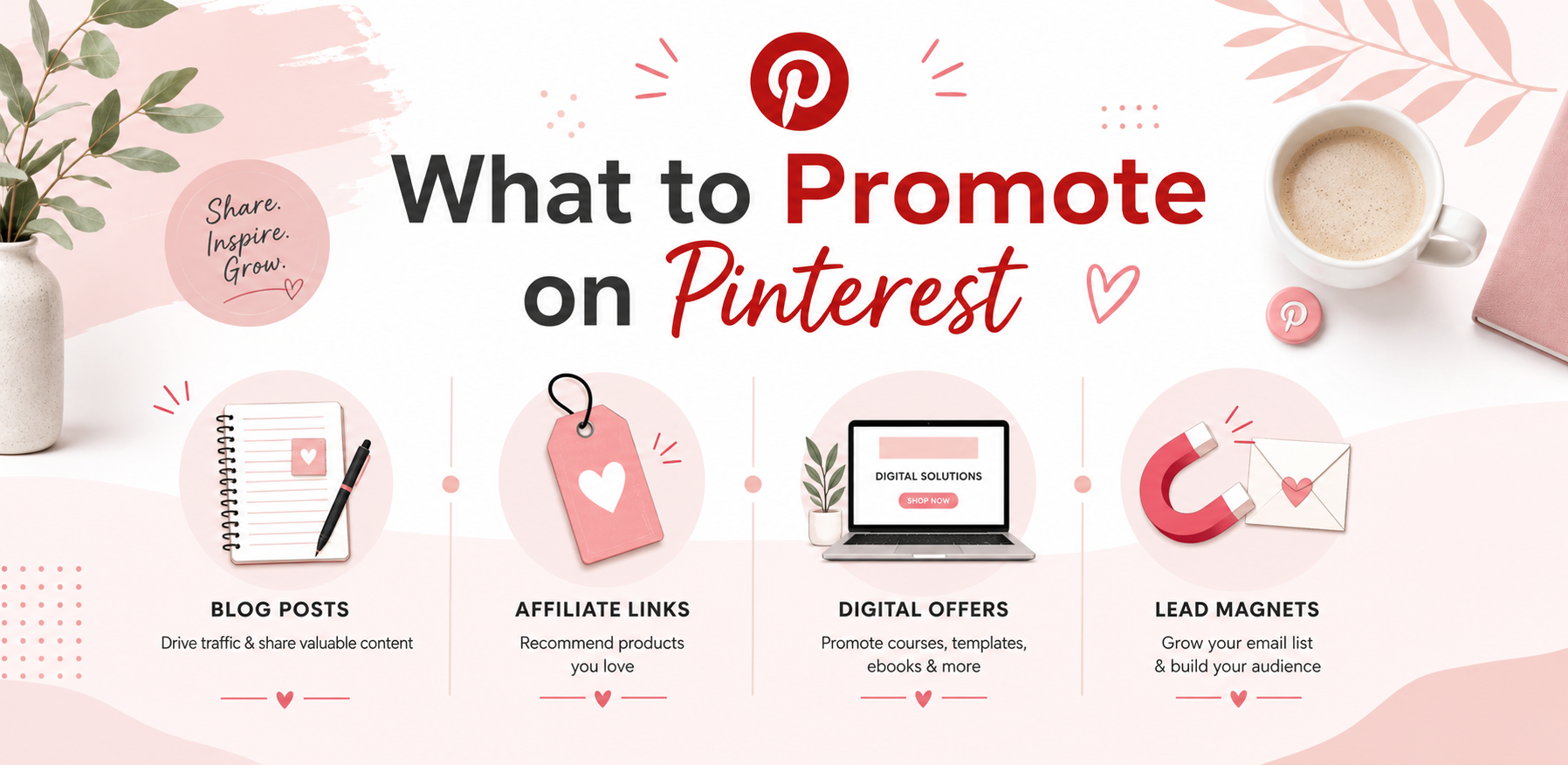
Every Pin needs a destination. A place where people land after they click. Without that, you're just driving traffic into the void.
Here's what works best:
Your lead magnet landing page. This is the top recommendation. Pinterest traffic that lands on a well-optimized opt-in page converts extremely well because the visitor is already in "search and find" mode. They clicked because they wanted something. Give it to them. Grow that email list because that list is yours, no algorithm can take it away.
Your blog posts. Every post you publish should have at least 3 to 5 Pins created for it. Blog posts that are how-to guides, tutorials, or list-style posts perform especially well because Pinterest users are actively looking for that kind of content. Make sure your blog posts have an email opt-in so Pinterest traffic doesn't just visit and bounce.
Digital products and affiliate offers. Pinterest allows direct linking to product pages and affiliate offers. Create Pins that speak to the benefit of the product, not just what it is. Lead with the value, then the click.
Step 6: Upload Your Pins the Right Way
The way you upload matters. Pinterest is a search engine and if you don't optimize when you upload, your Pins won't rank.
When uploading each Pin:
Write a compelling title, keyword-rich, curiosity-driven, benefit-focused. Specific beats vague every time.
Write a keyword-rich description of 100 to 200 words. Write it like a real person, not a keyword list. Include your primary keyword naturally within the first sentence and always end with a clear call to action. Tell people exactly what to click for and why.
Choose your destination URL carefully. It should lead directly to the blog post, landing page, or product the Pin promises. Test the link before you publish.
Select the right board. Pinterest categorizes your Pin based on the board you save it to first. Choose a board that directly matches your Pin's topic.
Step 7: Stay Consistent Without Burning Yourself Out
Pinterest rewards consistency over volume. Pinning 20 times in one day and then disappearing for two weeks is one of the fastest ways to tank your reach. The algorithm wants to see steady, ongoing activity.
The goal is 1 to 3 fresh Pins per day. That doesn't mean you have to be on the app every single day.
Use Pinterest's built-in scheduler. Create your Pins in batches, spend one afternoon a week on Pinterest, schedule everything out, and then walk away. That's it. No daily logging in. No constant engagement.
Use Canva templates so you're not starting from scratch every time. Same layout, different text and colors. Batch create a week's worth of Pins in one sitting.
Check your Pinterest Analytics once a week. Look at outbound clicks, not just impressions or saves. Clicks tell you what's actually sending traffic. Double down on what's working and let the rest go.
What to Expect in the Beginning
Real talk, most beginners don't see significant traffic in the first two to four weeks. Pinterest takes time to index your content and understand your niche. The first month is mostly foundation.
By month two and three, things start to pick up. You'll start seeing which Pins and topics are resonating. Clicks start coming in more consistently. And because of the way Pinterest indexes content, those results compound over time. Each new Pin you add builds on the traffic you're already getting.
By month four, five, and six? People are still clicking on Pins you made months ago.
That's the kind of asset you're building. Not a social media feed that disappears. A content library that keeps working for you long after you've moved on to the next thing.
Ready to Go From "I Should Try Pinterest" to Actually Building a System?
Here's the thing. Reading this post is a great start. But if you're anything like me, you know that information without implementation is just entertainment.
If you want to build a real Pinterest traffic system, one that actually works and doesn't require you to figure it all out alone, I put together something that gives you everything you need in one place.
The Pinterest Traffic Takeover Bundle includes:
The 30 Day Pinterest Traffic Takeover Challenge: a step-by-step daily action plan that walks you through building your Pinterest presence from the ground up. No guessing. No skipping ahead. Each day builds on the last so you actually finish it.
The 30 Day Pinterest Marketing Plan: so you always know what you're doing and when. This takes the thinking out of it and replaces it with a clear, focused plan.
The Pinterest Traffic Takeover Quick Start Guide: a deep-dive guide that covers everything from setting up your account to creating Pins that convert, written for real beginners who want to do this right the first time.
The Pinterest Traffic Takeover Checklist: print it out, check it off, stay on track. Simple as that.
And the Pinterest Survival Guide: because when something isn't working, you need real answers fast. This guide helps you troubleshoot and fix what's broken so you're not left guessing why your Pins aren't getting clicks.
This is the system I use. And it's built specifically for introverted entrepreneurs who want traffic that works without having to show up on social media every single day.
Grab the Pinterest Traffic Takeover Bundle here
If Pinterest has been on your "I'll get to it eventually" list eventually is right now.